Dahdio decodes Morse from your radio’s audio, fed in through a USB audio interface or a cable. It finds every CW signal and decodes them all at once. You read one station full screen; the rest wait on the tuning strip.
the station you are readingother stations, one tap awaynoise: nothing printeddimmed text may still change
01 Input
Made for a cable, not a microphone.
Dahdio reads the radio’s own audio. Take its headphone, line or data output into a USB audio interface or sound-card adapter, or run a cable into the headset socket. When one is plugged in, Dahdio picks it up by itself.
The phone’s microphone works for a quick try, but the room adds noise and echo and the phone’s own processing works against weak signals. For real copy, use a direct connection.
Features
02 Receive
Every station at once. One to read.
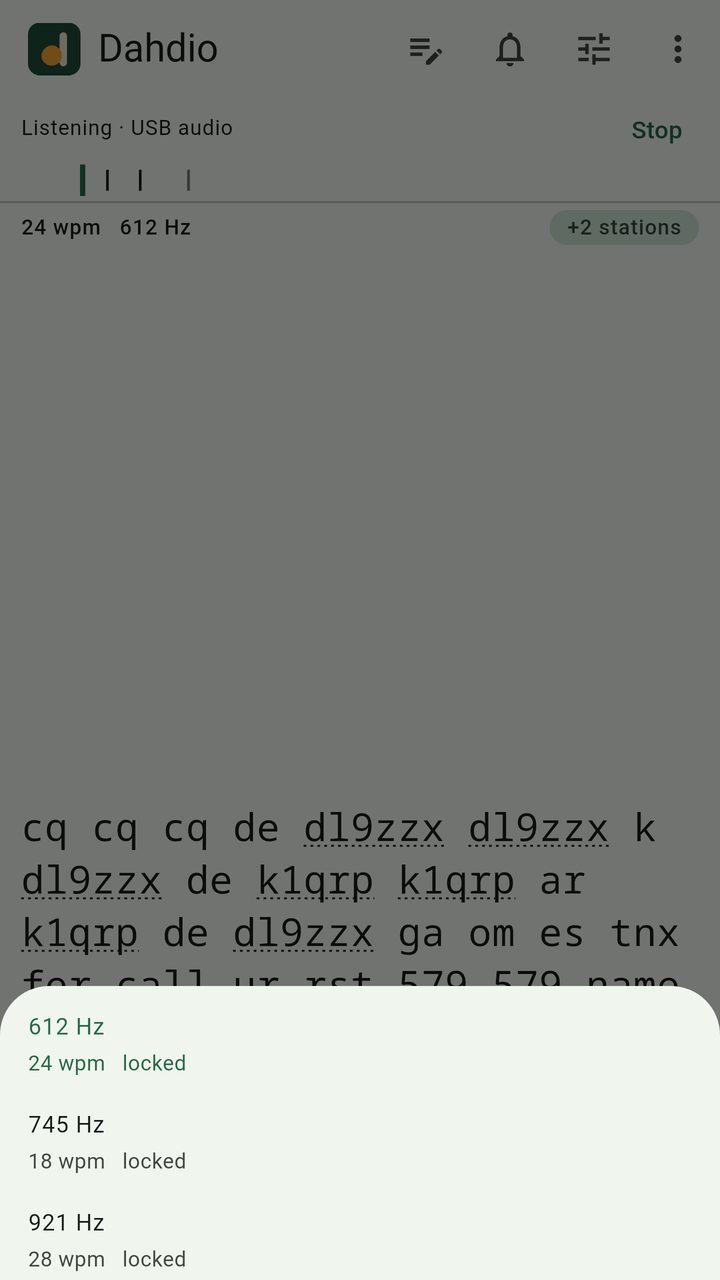
Dahdio finds every CW signal in the audio and decodes them all at the same time. The one you are copying fills the screen; the others are marks on a tuning strip and in a +N stations list, one tap away.
The station you are reading never changes on its own because a louder one turned up.
Follows each station’s own speed and pitch automatically.
Text that may still change is shown dimmed until the decoder is sure.
03 Decode
Three decoders. One vote.
Every word is read three ways: by a signal-processing decoder, a neural network and a search decoder. Where they disagree, the vote decides.
Developed and tested on real off-air recordings, hand-checked against what was actually sent: fading, noise, interference, and hand-sent Morse with all its quirks, not only clean machine-sent code.
A language model helps with common amateur-radio words and abbreviations. You choose how much it may help.
Illustration · one word, 612 Hzvote
Signal processingdl9mizxdiffers
Neural networkdl9zzxagrees
Searchdl9zzxagrees
On screendl9zzx
copy:
Quiet on noise
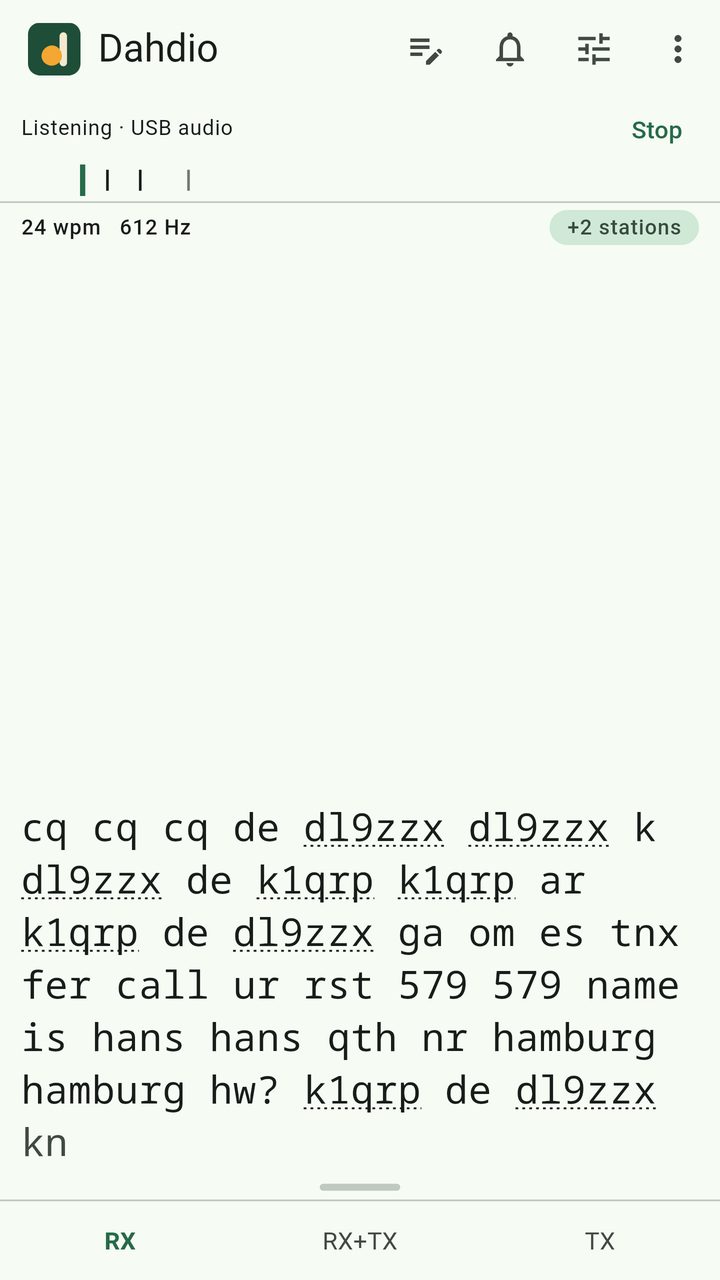
Noise and carriers don’t fill the screen with junk. Want to see everything anyway? One switch shows it.
tnx fer call <bt> ur rst 579 579 <bt> hw? <ar> k1qrp de dl9zzx <kn>
Prosigns as prosigns
<ar>, <bt>, <kn> and <sk> appear as the single signs they are, not as runs of stray letters.
612 Hz · 24 wpm 745 Hz · 18 wpm 921 Hz · 28 wpm
Their speed, their pitch
Each station is followed at its own speed and pitch, hand-sent or keyed, without you touching a setting.
04 Send
A keyboard made for Morse.
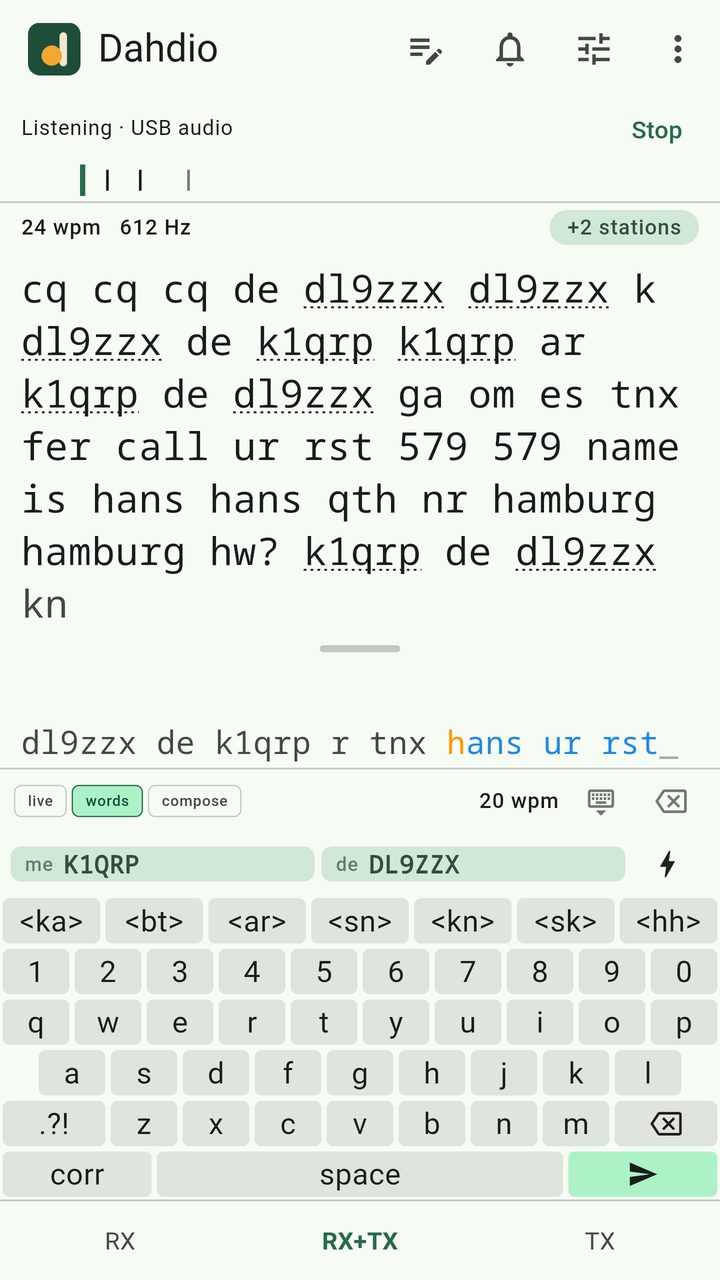
Letters, numbers, prosigns and punctuation on one keyboard. Send each letter as you type, each word when you press space, or compose a whole reply first. Anything not yet sent can still be edited, and the Correct key sends the usual spaced e’s and the word again.
Enter sendsF1–F12 stored messagesEsc stops
Works with a physical keyboard too, on the phone or the computer.
Adjustable speed, sidetone pitch and volume.
Receive, send, or both on one screen: drag the divider or tap RX, RX+TX or TX.
sent · sending · waiting
05 Log
A logger that listens.
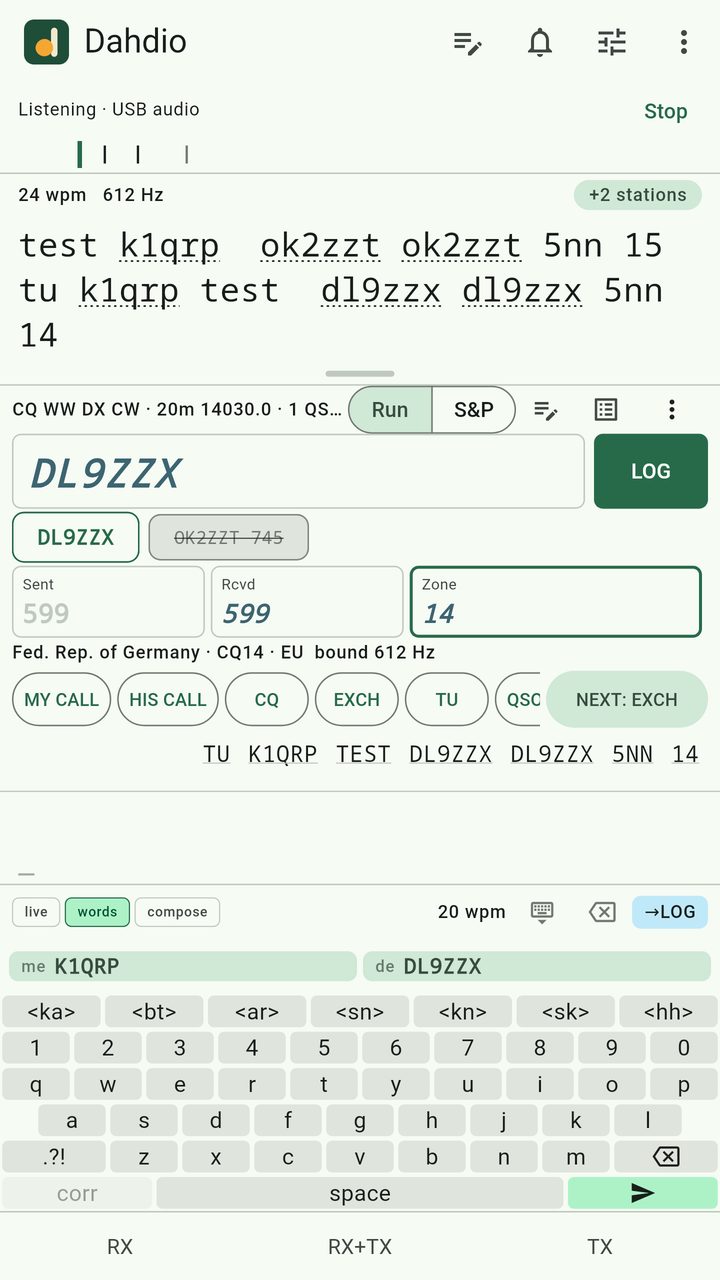
Log contests, POTA and SOTA activations and everyday QSOs on the same screen as the decoder. The callsign and exchange are filled in from what Dahdio heard. Nothing is logged until you confirm it.
Dupe and worked-before checks.
On a computer, Enter sends the next message of the QSO and F-keys work the way contest loggers do.
ADIF
POTA per-park ADIF
SOTA CSV
Cabrillo
call and exchange from the decode
06 Alerts
Know when your call turns up.
Give Dahdio your callsign, or any words you care about, and it alerts you when one appears in the copy. Each alert keeps the line around it, the time and the audio frequency.
Your call · 612 Hz · 14:32
k1qrp de dl9zzx ga om
Keyword · 488 Hz · 14:29
cq pota de w7zzt
Your call · 745 Hz · 14:17
qrl? de on4zzv
07 Privacy
Private by design.
No account, no sign-in, no analytics. The audio never leaves the device it is decoded on.
01
Decoded on your device
Decoding happens entirely on your phone or computer, and needs no internet connection.
02
Nothing recorded or sent
Audio is decoded as it arrives. It is never recorded or sent anywhere.
03
Your log stays yours
Your log stays on your device until you export it. Privacy policy
08 Price
Early access: everything on.
Early access
Every feature, no limits, while Dahdio is in early access.
When early access ends, Dahdio will have a free tier with limits, and Dahdio Full by subscription or by a pass that never auto-renews.
Every station on the band, decoded at once
No session or daily time limits
The sender, the logger and alerts
08 Price
Free to try. Full when you’re ready.
Free
Try Dahdio on your own radio.
Up to 4 stations decoded at once
10 minutes a session
30 minutes a day
Dahdio Full
No limits on stations or listening time.
SubscriptionMonthly
SubscriptionYearly
Pass · never auto-renews1 month
Pass · never auto-renews12 months
Prices are shown in Google Play, in your currency. Subscriptions are managed and cancelled in Google Play.
Connect your radio. Start reading.
Dahdio is coming to Google Play. Until the listing is live, write to [email protected] for early access on Android or Linux.
Get Dahdio on Google Play for Android. Running Linux? Write to [email protected] for the Linux build.